

Facebook Live is a powerful tool that allows you to connect with your audience in real-time. Introduced in 2015, it quickly became popular among individuals and businesses alike, offering a unique opportunity for genuine interaction and engagement. This article will guide you through the steps to go live on Facebook using your Android device. Following are the steps.
-
Start by opening the Facebook app on your Android device.
-
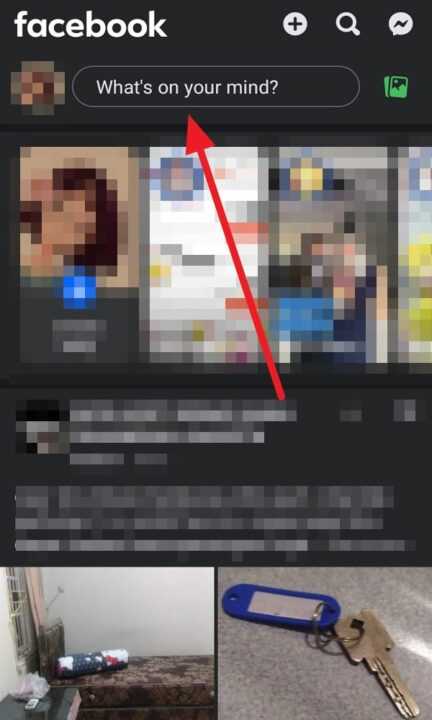
Navigate to the What’s on your mind? section at the top of your screen.
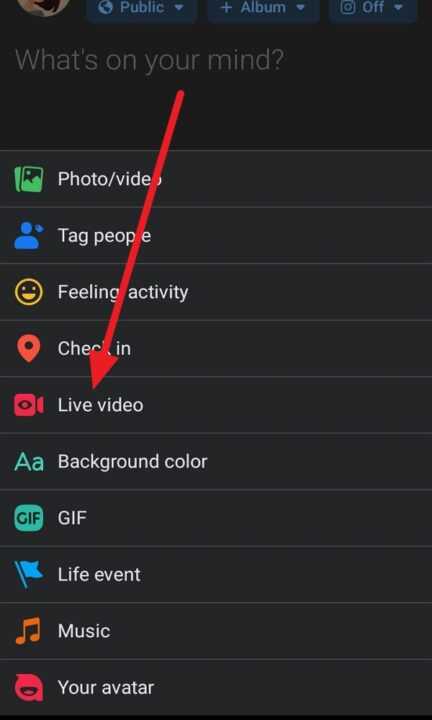
- In the new post options, select Live Video.
-
Before you start your live video, it’s important to give it a name and description. This will let your viewers know what your livestream is about. You can also tag friends, add location information, or a feeling/activity.
-
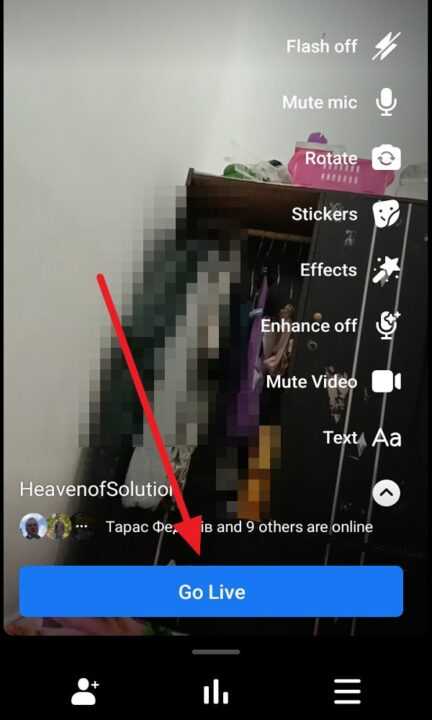
Once you’ve set everything up, click the Go Live button to start your live stream.
Going live on Facebook with your Android device is a straightforward process that allows you to connect with your audience in real-time. Whether you’re sharing a special moment, hosting a Q&A, or teaching a class, Facebook Live offers a unique and engaging way to communicate. Remember to prepare your content, engage with your viewers during the livestream, and have fun!