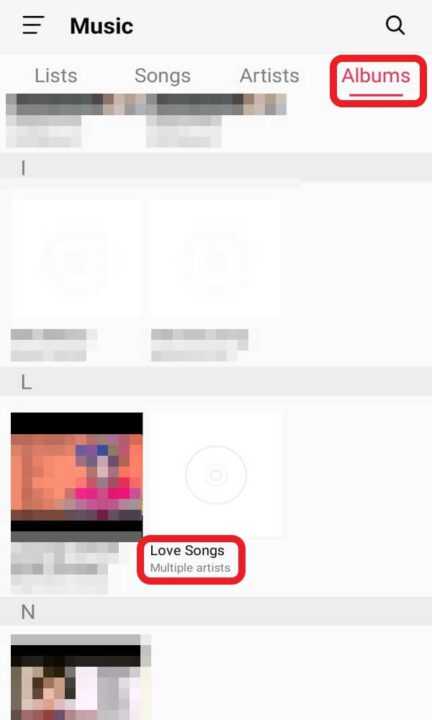
You can follow these steps if you want to combine songs into one album.
-
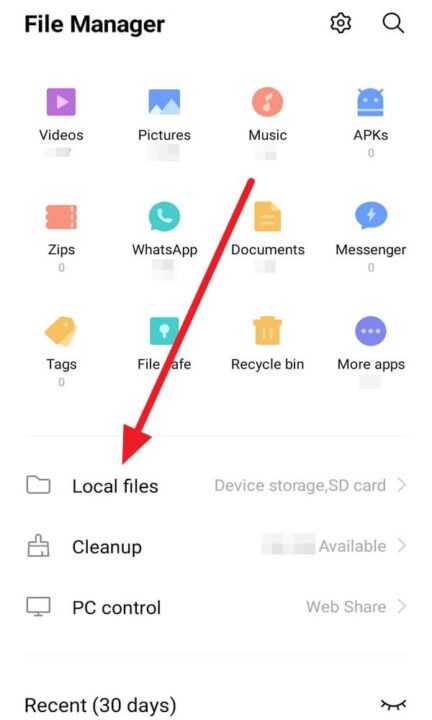
First, open your File Manager.
-
Then, click Local files.
-
After that, select storage for your album, Device storage or SD card.
-
Next, add a new folder by tapping New.
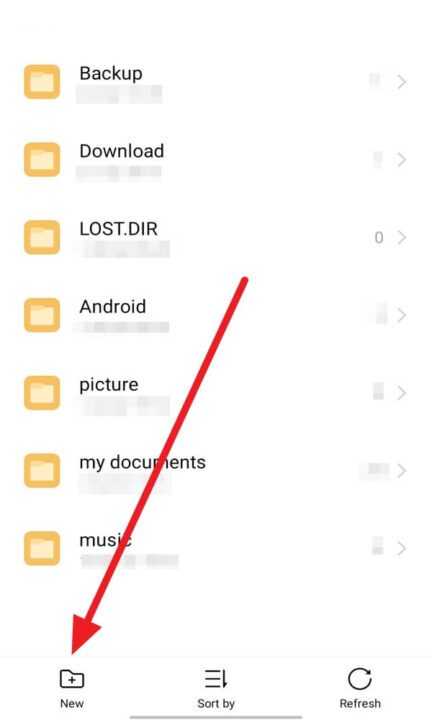
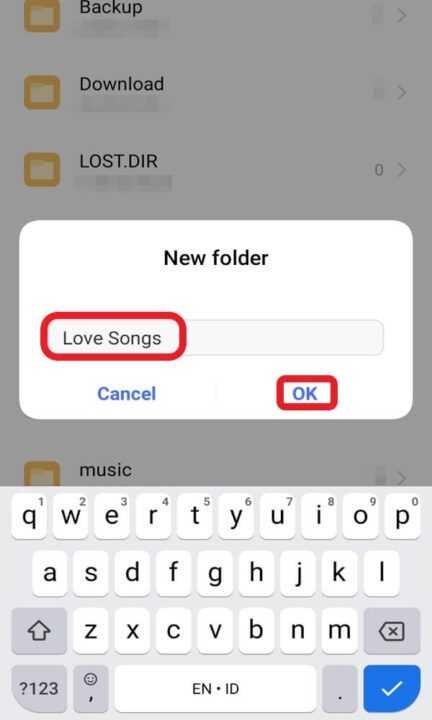
- Then, write your album name, for example, ‘Love Songs,’ and click OK.
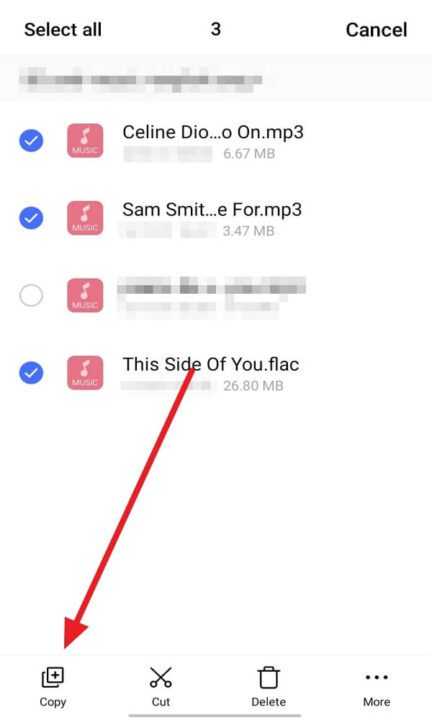
- Next, choose your love music on the music folder and click Copy.
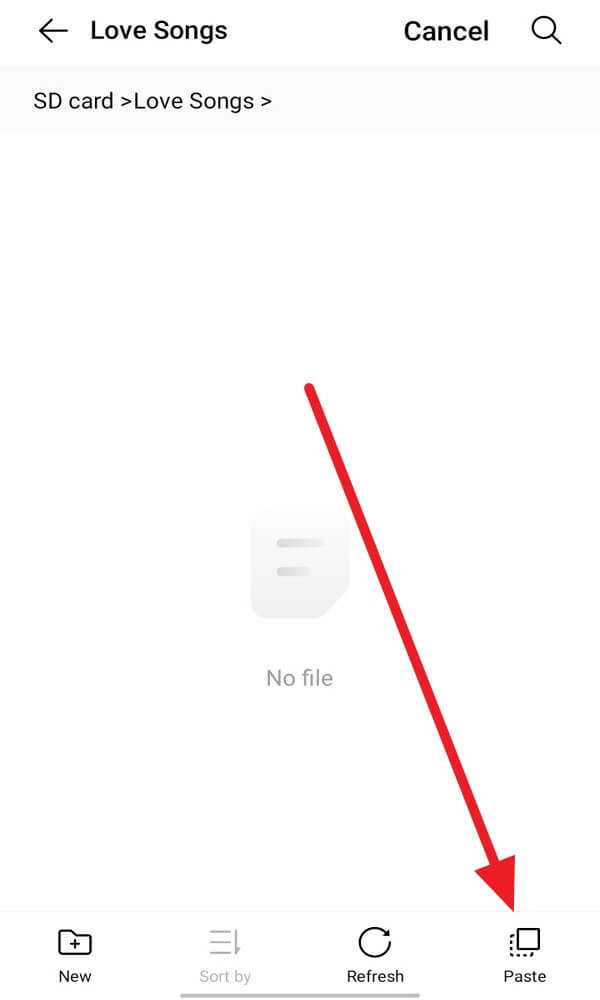
- Then, Paste all music copied into the Love Songs album.
- Last, you can see your Love Songs album on your Music app.