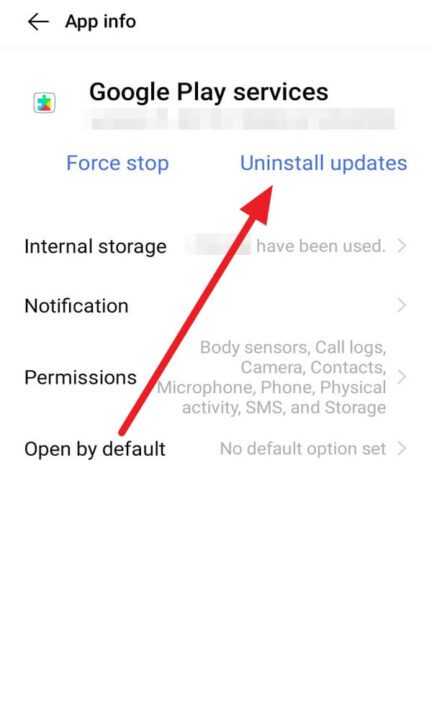

Here are the steps to uninstall Google Play service updates for android users.
-
First of all, open Settings.
-
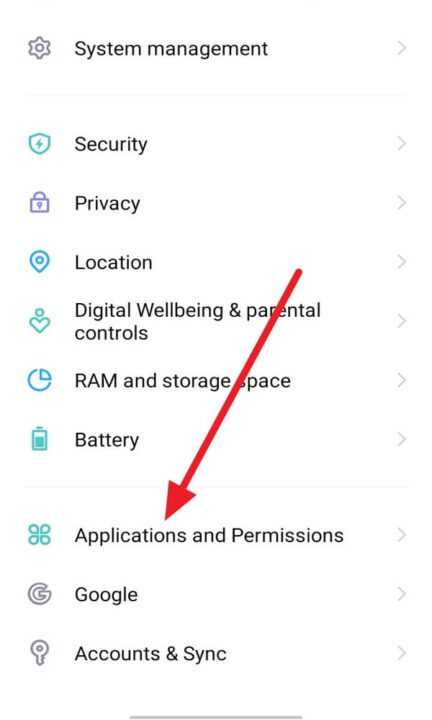
Then, click Applications and Permissions.
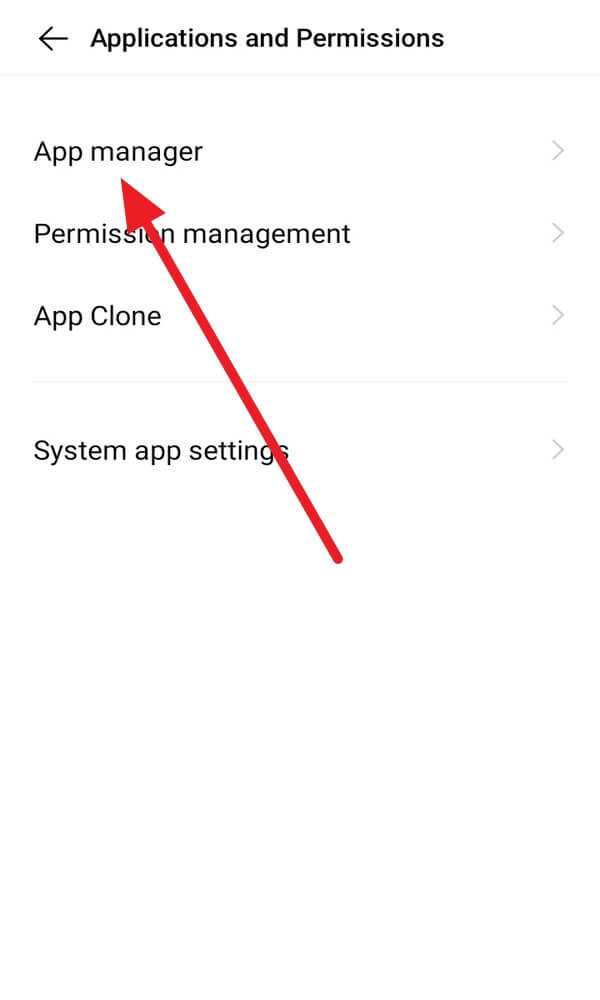
- After that, select App manager.
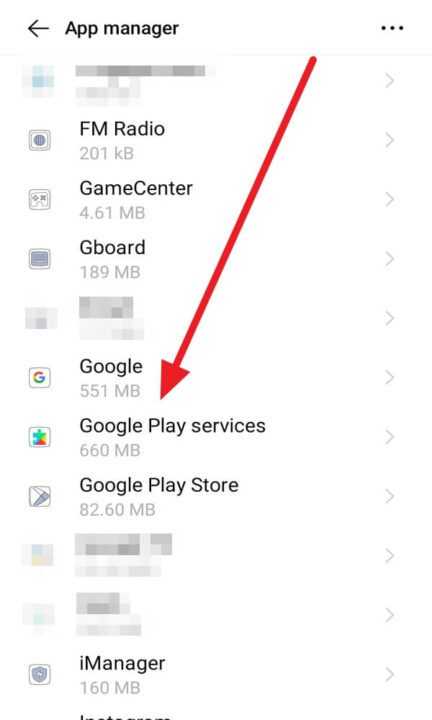
- Next, scroll to search Google Play services and click it.
- Last, click Uninstall updates and wait for the Google Play services will be deleted from your phone device.